TTRPG news · Source announcement: 2026-09-16
Roll20 is exploring a redesign of its Dynamic Lighting workflow, with editable barrier lines and a dedicated layer hotbar among the ideas under consideration. This is a development preview, not a feature launch: Roll20 says the work is still in design and prototyping, and that the final version may change. For GMs, the key distinction is that these are proposed ways to reduce setup friction—not tools to assume are in the current interface.
What Roll20 is trying to fix
Roll20’s post focuses on the friction of building Dynamic Lighting manually. The company says that correcting a misplaced point can currently mean deleting and redrawing a barrier, while lining up doors and windows with existing walls can also be demanding. In map preparation, a small drawing mistake can turn a quick setup task into repeated tracing. The description is Roll20’s account of the workflow, not an independent test of the current interface.
The post also describes a learning curve beyond drawing. GMs may need to switch between layers and separate tools for walls, lights, doors, windows, vision settings and previewing what players see. Roll20 says its survey data found that a majority of surveyed GMs considered map setup too slow and unintuitive. That finding is attributed to the company’s survey summary; the post does not provide sample size or survey methodology.
The proposed editing changes
One idea is to make barriers editable after they are placed. Roll20 is exploring moving a single vertex, changing or removing one segment without disturbing the rest of a shape, and snapping or unsnapping points to join sections or create gaps. If implemented, those controls could make corrections less costly than redrawing a full path. They remain concepts in a development preview, not an announced set of released controls.
The other major idea is a dedicated hotbar for the Dynamic Lighting layer. Roll20 says it is considering bringing barrier drawing, lights and torches, doors, and windows together, with player vision also described as a hoped-for inclusion. The stated aim is a more guided setup process, including easier ways to preview and troubleshoot what players will see. The company does not promise that every element will appear in the eventual version.
What existing Roll20 users should know
This is not a notice that existing Dynamic Lighting controls have already changed. Roll20 describes the work as early design and prototyping, and cautions that what ultimately ships may differ from the ideas in the post. Treat the proposed features as possibilities, not confirmed specifications or a release schedule. The September 16, 2026 post gives no launch date for the concepts.
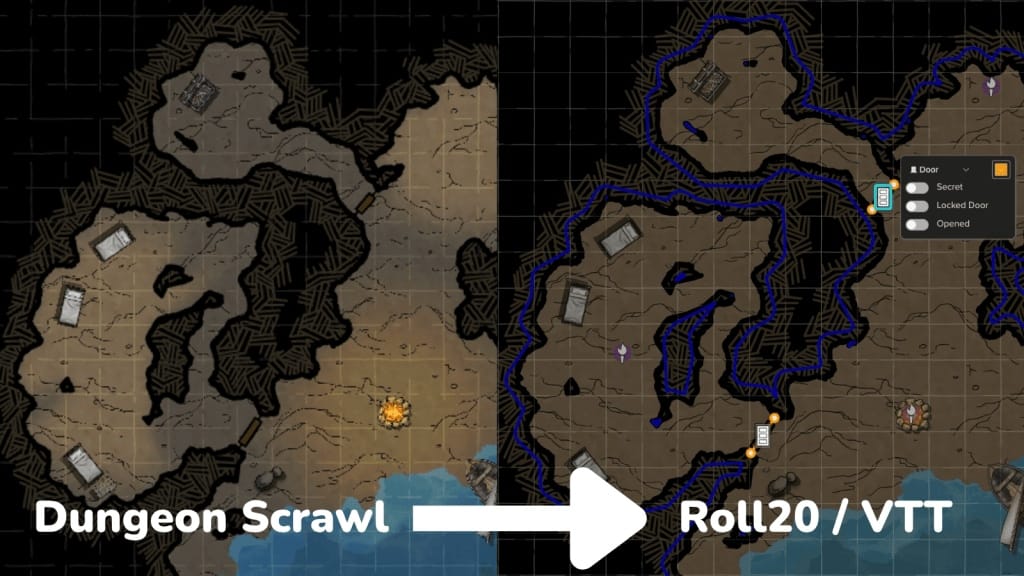
The announcement also refers to UVTT imports, which can automatically configure dynamic lighting, doors and light sources for imported maps. That workflow is distinct from the native usability improvements under exploration: the preview concerns drawing and managing Dynamic Lighting inside Roll20, not replacing UVTT imports. A GM using an import workflow should not assume that a prototype for editing barriers changes how imported maps function.
Feedback now, availability later
Roll20 invited interested users to join its Community Discord and take part in upcoming Dynamic Lighting Lab Sessions. The post says a session would take place in the upcoming weeks, but gives no specific date. That invitation is part of the announcement’s feedback request, not evidence that the proposed tools are available to try now. Because the notice is dated, check Roll20’s current community channels if you want to see whether sessions or later updates have occurred.
For GMs preparing maps today, a sensible approach is to continue using the controls currently available rather than planning around an unannounced redesign. If these ideas progress, the practical test will be whether they make corrections and player-view checks easier in real map-building workflows—not simply whether more controls appear in one place. You can also make a short checklist of recurring setup problems at your table; that gives useful feedback without assuming a particular prototype will ship.
Sources and image credits
Original reporting based on the publisher’s announcement; this is not a hands-on review. Product plans and crowdfunding estimates may change.
Publisher-supplied visuals shown to illustrate this announcement. Copyright belongs to the respective rights holders; credits appear beside each image. GMCraft Tavern is independent of the publishers covered.