
TTRPG tools · Creator-supplied open-playtest announcement
Campaign notes in one place, character sheets in another, and initiative on a separate tracker: keeping a game moving can mean juggling several tools. RPG MasterTool, a web app built by Hamid Soheili at Soheili Labs, aims to bring that work into one shared campaign. It is now in open playtest, with game masters invited to try it during a real session.
One campaign, from preparation to play
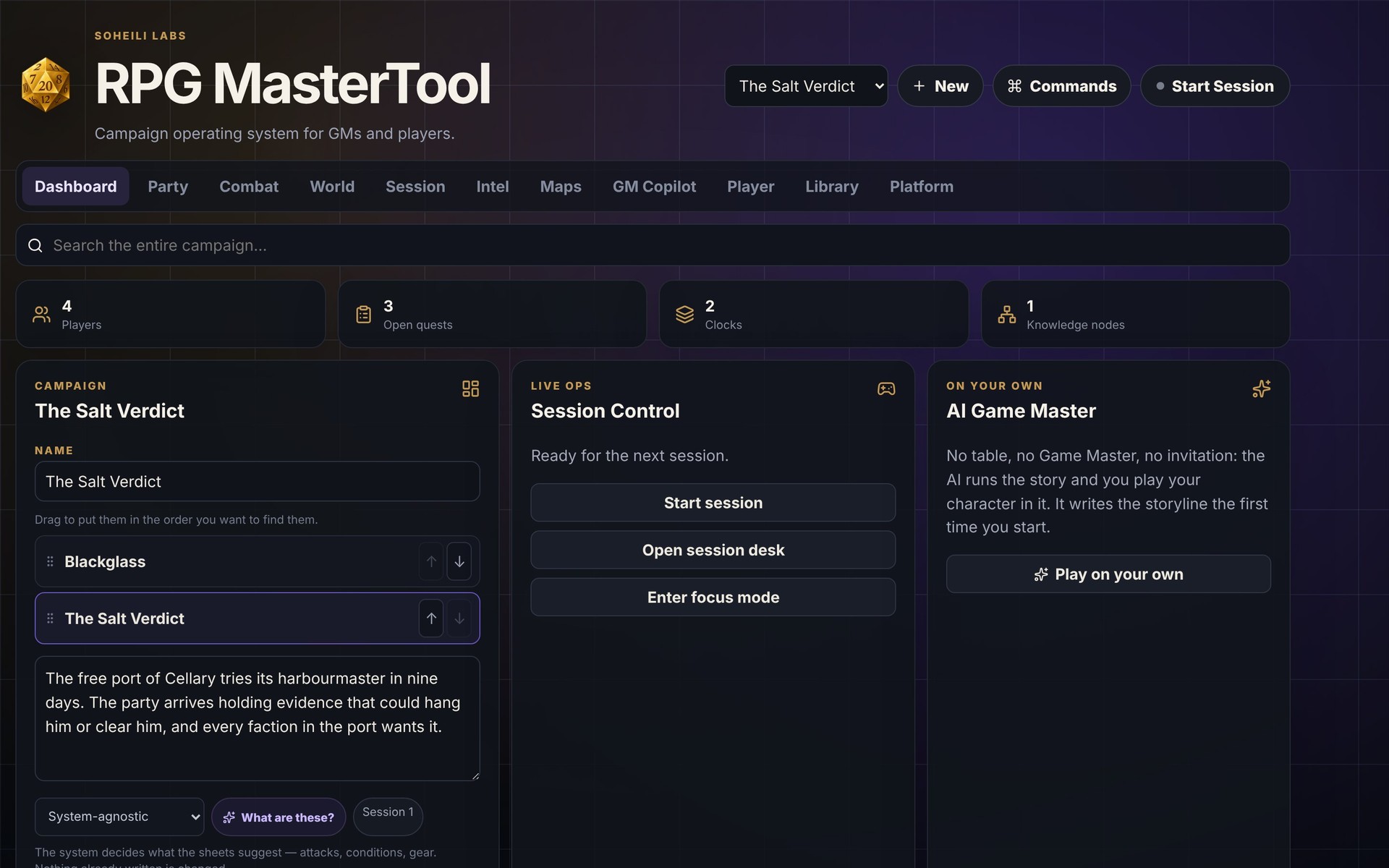
The pitch is straightforward: keep the party and the material you need at the table together. According to the information supplied by Soheili Labs, RPG MasterTool combines a party roster and character sheets with world notes, session logs, intel, maps and a campaign library. Campaign material is searchable.
- Character tracking: HP, XP, attacks, conditions, inventory, goals and secrets.
- Campaign reference: world notes, session logs, intel, maps and library material.
- Shared combat: a turn order that the group can follow during play.
Choose a system for your table
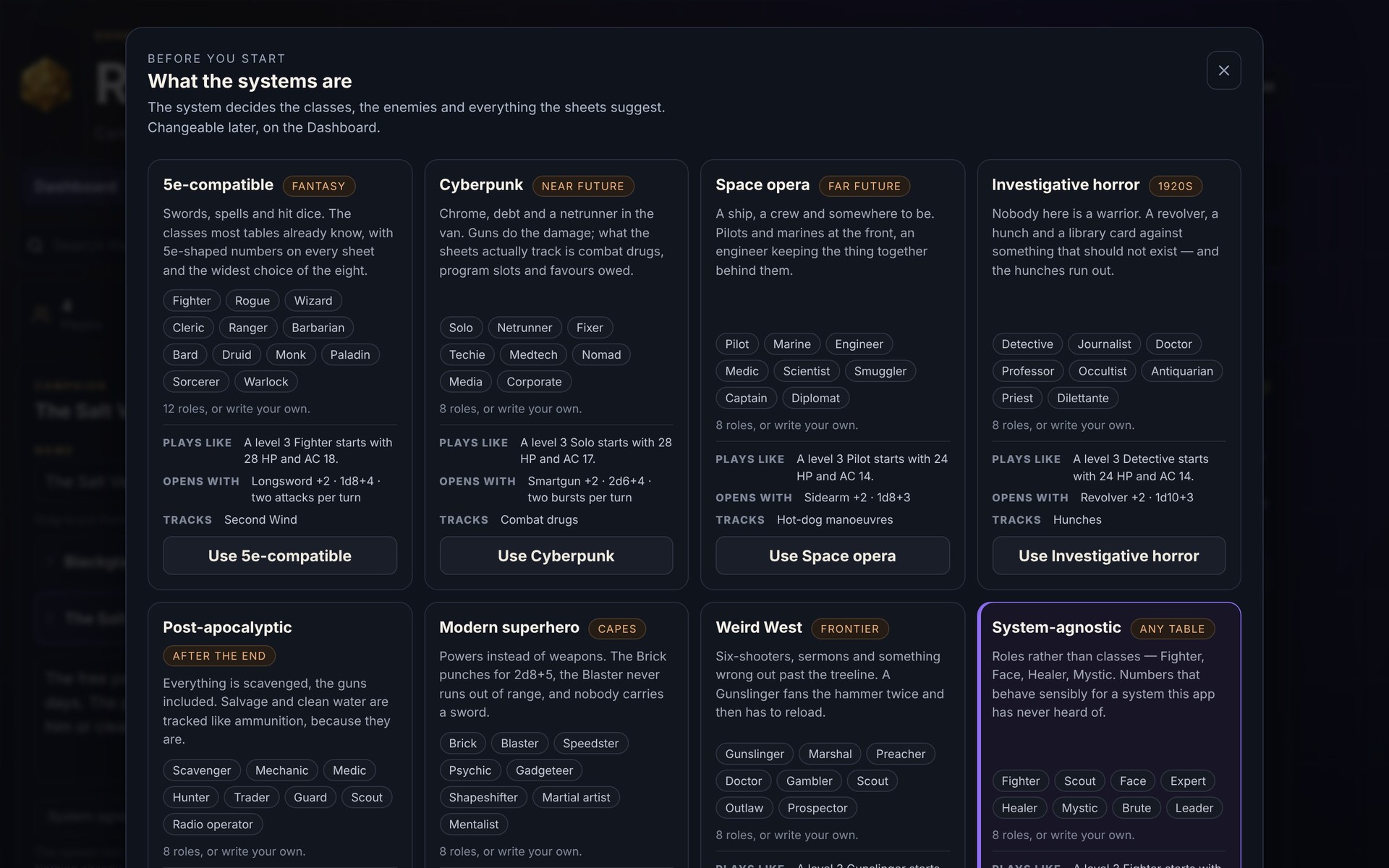
According to Soheili Labs, RPG MasterTool offers eight system settings, from 5e-compatible fantasy and cyberpunk to space opera, investigative horror, post-apocalyptic, modern superhero and Weird West, plus a system-agnostic option. The selected setting shapes the suggested sheets, enemies and attacks.
Build an encounter
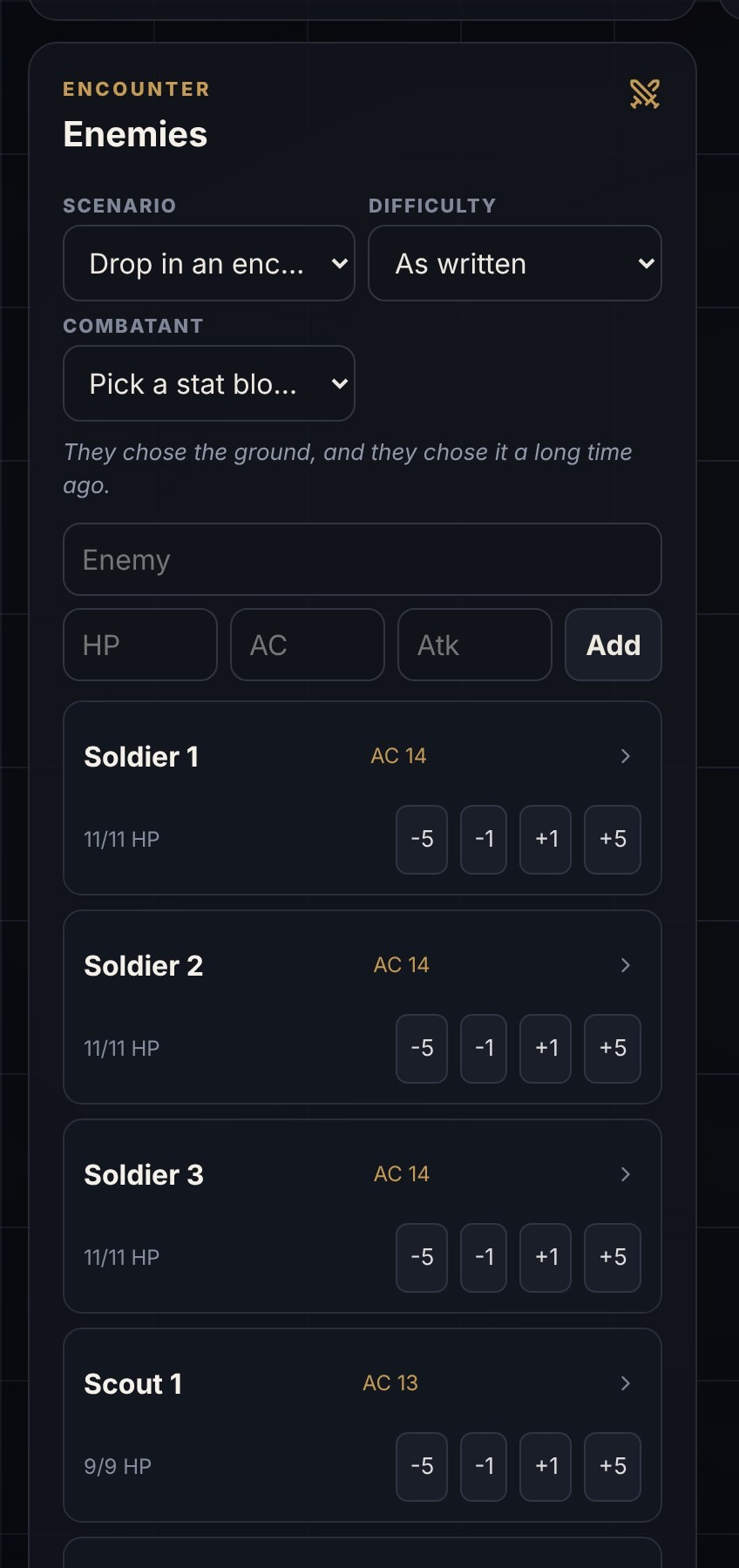
The encounter builder can add a full fight at a chosen difficulty or add enemies individually, according to Soheili Labs. The phone-sized view below shows enemy controls in the interface.
Players get their own view of the campaign
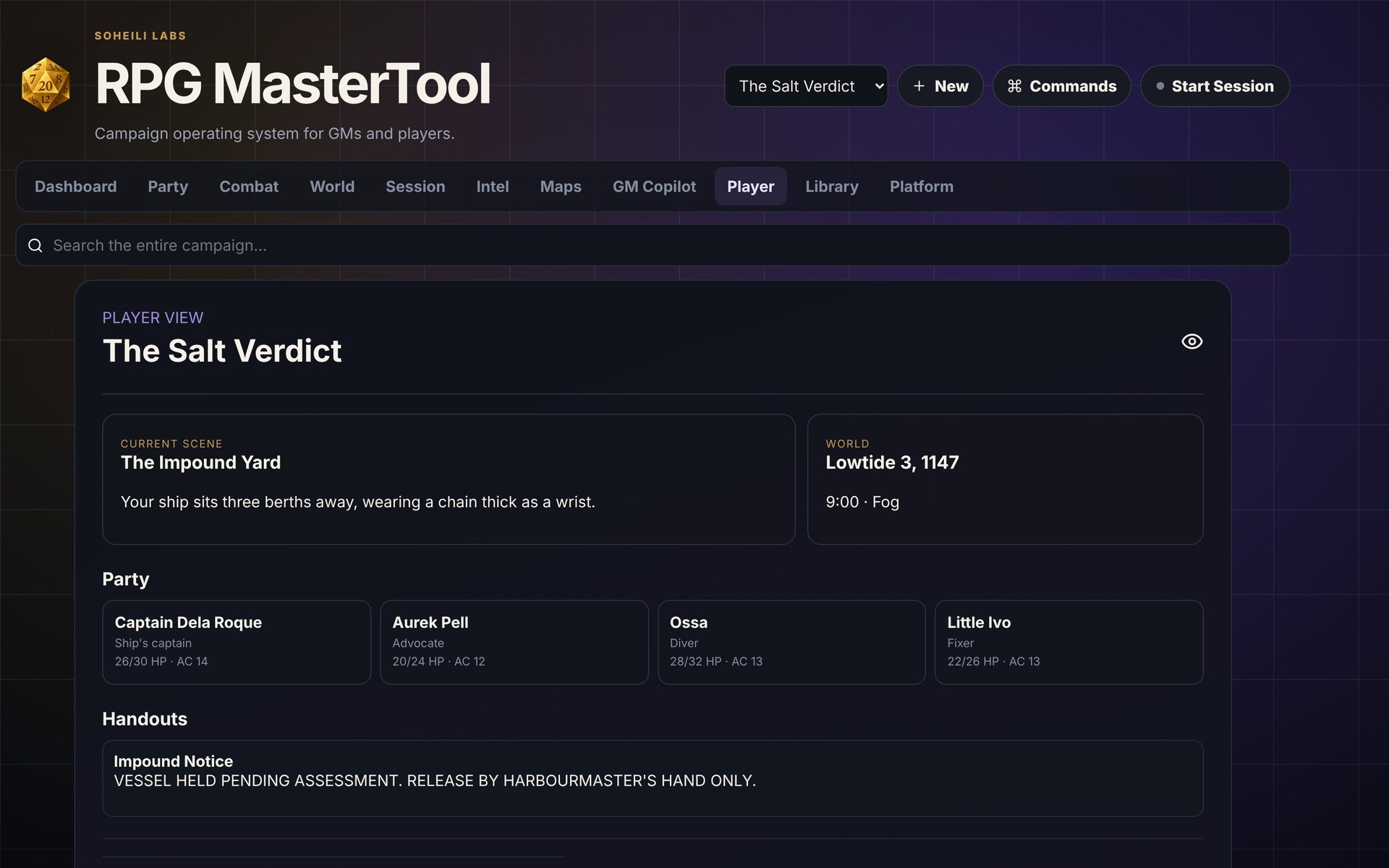
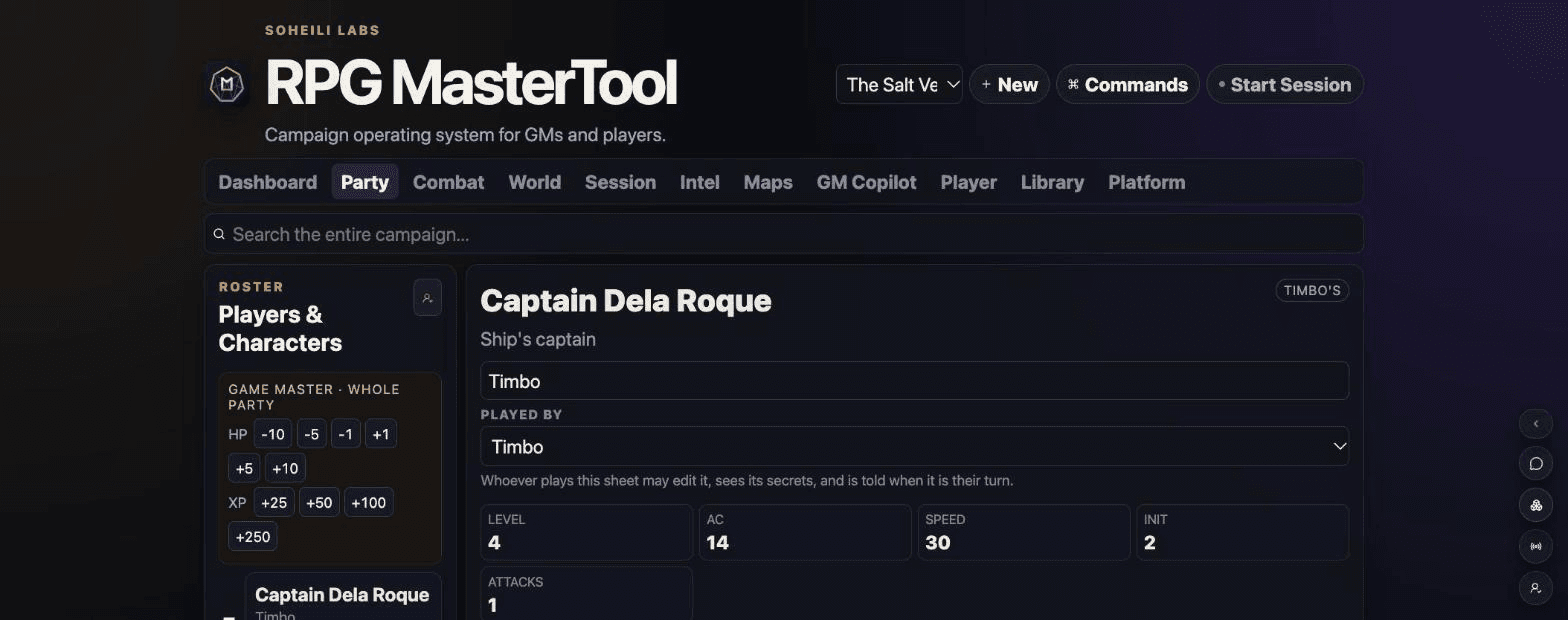
Players can join from a phone or desktop, edit their own character sheet and see their own secrets. The creator also describes turn notifications and live sessions that keep everyone’s screen in sync during play.
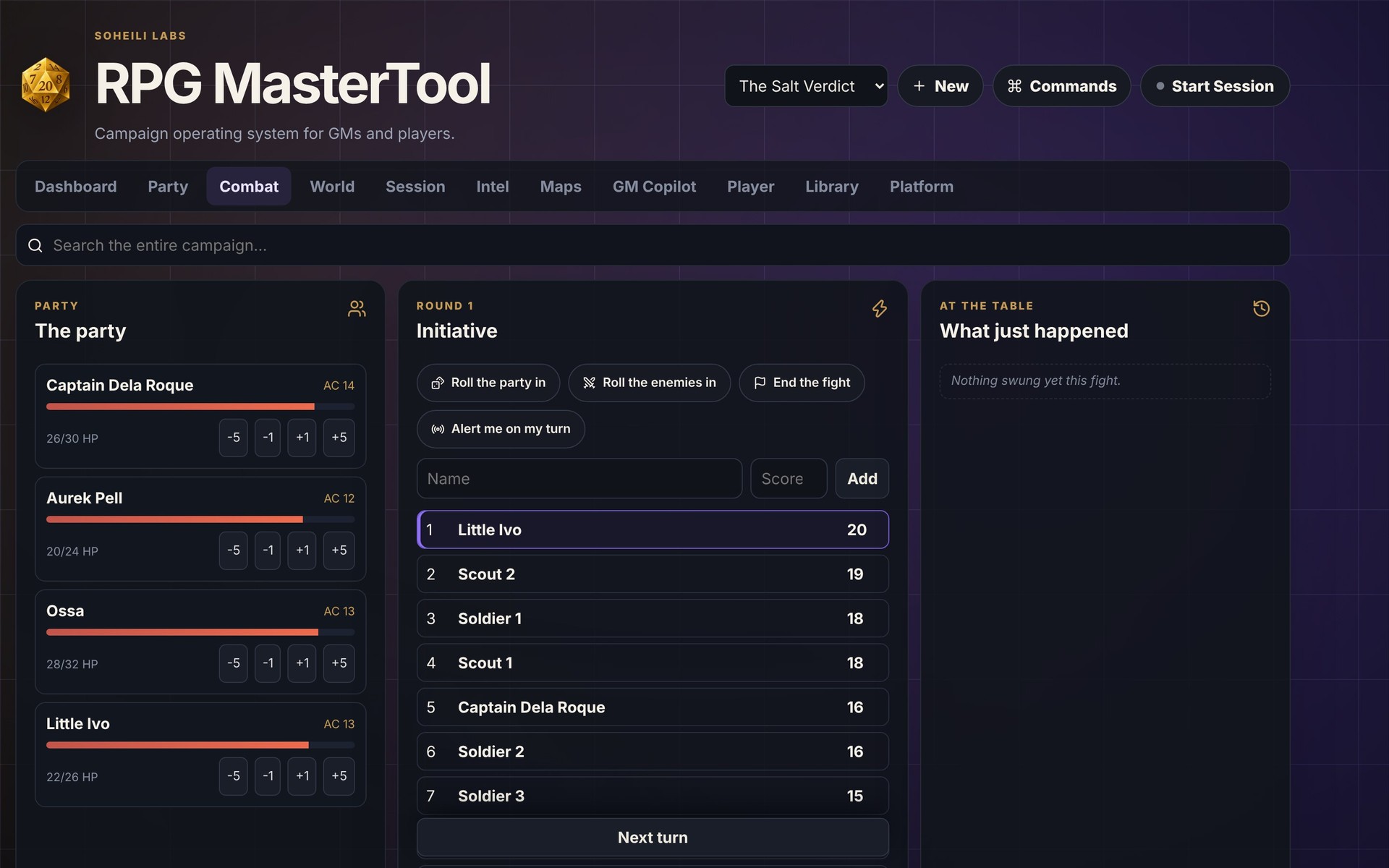
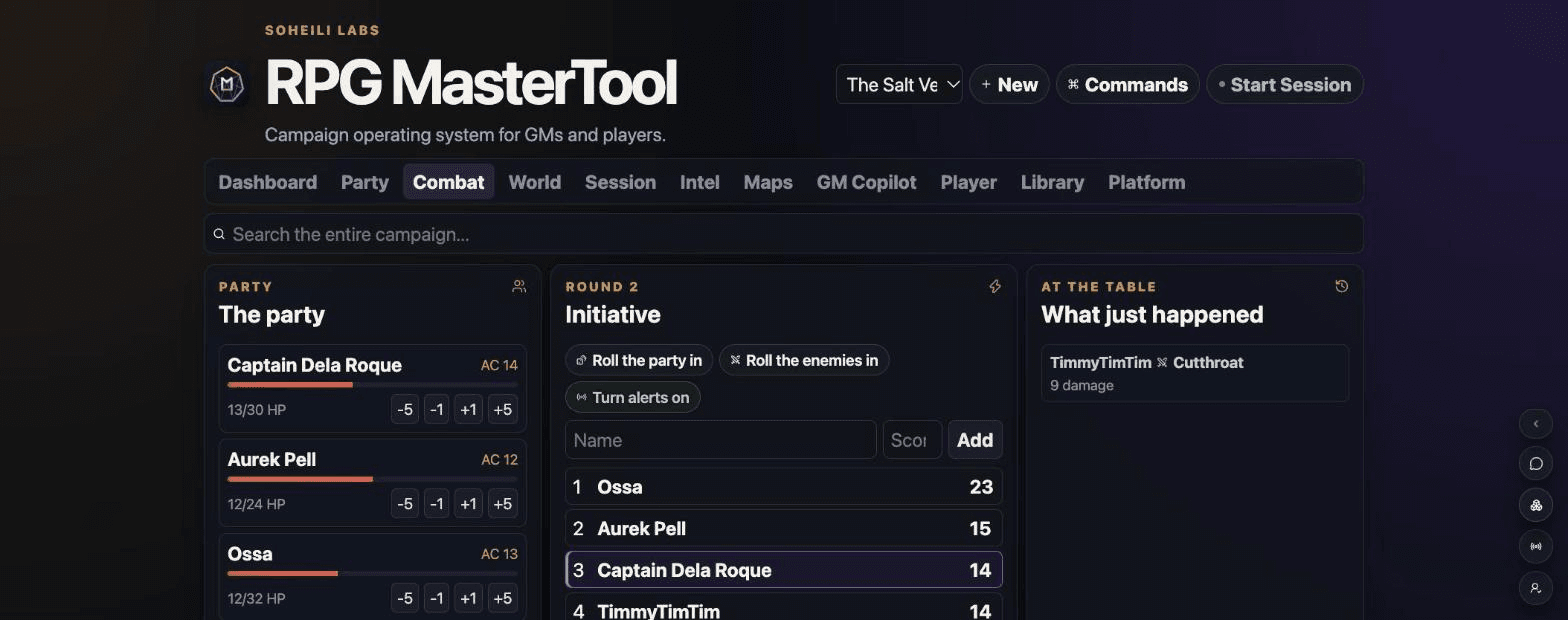
The supplied Party screenshot shows player assignment alongside a character sheet. The Combat screenshot places party HP, initiative and recent actions side by side. These images illustrate the interface; they do not establish how smoothly it performs during a full session.
Keep the turn order in view
The shared tracker brings the party, initiative and recent events together. The creator says players can follow turns from their own screens.
See a fight from the player’s side
The creator’s approximately 70-second walkthrough follows an invitation, shared turn order and actions from a player’s perspective. It is available in desktop and phone formats.
Roll dice from a phone
RPG MasterTool also includes a dice roller designed for the phone-sized interface.

AI assistance is a choice, not a requirement
GM Copilot is the app’s optional AI preparation helper. Soheili Labs says everything else works without it, so a group can use the campaign-management features without adopting AI-assisted preparation.
What is free?
The current press kit says the app is free for Game Masters during the playtest and that players never pay. Pricing after the playtest is not specified there.
The playtest needs real sessions, not just sign-ups
Hamid Soheili is looking for game masters willing to run an actual session and report what worked and what slowed play down. If your group is interested, sign up on the RPG MasterTool website or contact SohhoS on Discord, or join the playtest Discord.
Useful feedback could cover finding a note mid-scene, updating a character sheet or following initiative on a phone. These are suggested things to observe, not findings from a GMCraft Tavern playtest.
Want a quick look first? The creator offers The Salt Verdict as a ready-made campaign. The press kit also describes an account-free private copy kept for a week.
Sources and image credits
Prepared from announcement material supplied directly by Hamid Soheili / Soheili Labs and the public RPG MasterTool landing page. This is not a hands-on review. Playtest features and pricing may change.
Publisher-supplied visuals shown to illustrate this announcement. Copyright belongs to the respective rights holders; credits appear beside each image. GMCraft Tavern is independent of the publishers covered.