In today’s digital age, remote Dungeons & Dragons (DnD) sessions have become a staple for many gaming groups. However, keeping players engaged can be a challenge. This article provides practical strategies to enhance player involvement, focusing on session structure, tools, and engagement techniques.
What you’ll learn in this article
- 🎲1Strategies to keep players engaged while they play DnD online.
- ✅2Tips for creating a clear session structure using virtual tabletops (VTT).
- 🔎3Effective tools like Roll20 and Foundry that enhance player focus.
- 🧙4♂️ Techniques for managing pacing and spotlight rotation during sessions.
- 🎉5Fun mini-games and side activities to re-engage distracted players.
- 📜6Best practices for incorporating player-driven content and micro-interactions.
- 🎶7Sound design methods to create immersive experiences in remote DnD.
- ⚙8️ Technical contingency plans to handle common issues during gameplay.
- 🎲9Technical contingency plans and common fixes
- 🎲10Preparing content that scales for remote play
- 🎲11Automation and macros: practical examples
- 🎲12Measuring engagement and iterating after sessions
- 🎲13Scripts, micro-scripts and lines that work in-session
- 🎲14Resources & complementary tools (with URLs and reasons)
1. Session structure and expectations (why a clear frame matters)
Having a well-defined session structure is essential for keeping players engaged during remote DnD sessions. A clear agenda helps reduce aimless play and keeps everyone focused on the story. I recommend using a three-act outline: Hook, Core, and Cliffhanger. This framework allows you to set clear expectations regarding the flow of the session and ensures that players know what to anticipate. Additionally, a session zero (the initial meeting before gameplay starts) is crucial to clarify expectations, including the session length, game rules, and safety tools.
When you begin each session, consider implementing a short pre-game checklist to save time. This might include checking microphones, recapping the previous session’s events, and sharing the agenda. For instance, I often share a simple one-line agenda in the chat, like: “Tonight’s session: 1) Explore the haunted forest, 2) Face the ghostly guardian, 3) Cliffhanger: Will you escape?” This not only sets the tone but also aligns everyone’s expectations.
1.1 Setting the agenda: 3-5 minute pre-game ritual
A brief pre-game ritual lasting 3 to 5 minutes can significantly boost engagement. Start by checking everyone’s microphones to ensure clear communication. Then, recap the previous session in a few sentences, highlighting key events and decisions. This is also a great moment to set an immediate goal or hook for the session. For example, you can say, “Tonight, your goal is to find the lost amulet in the haunted ruins.” This gives players a clear focus right from the start.
To make this ritual more interactive, consider incorporating an icebreaker roleplay (RP) or a “what’s your mood?” check, where each player shares a one-word mood that reflects how they’re feeling about the session. Additionally, I’ve found it helpful to include a thumbs-up/thumbs-down reaction check to gauge player preferences about the session agenda in real-time. This simple engagement can help everyone feel more invested in the session.
1.2 Creating and sharing a simple session map (visual agenda)
Creating a visual agenda can be a game-changer for remote sessions. A visual session map allows you to map out scenes to time blocks and display it as a single image or shared document. This way, players can quickly glance at what’s coming up next without having to rely solely on verbal descriptions. I recommend structuring your visual agenda in three columns: Act, Scene Goal, and Player Spotlight. This clarity helps players understand not only what they will face but also who will have the spotlight during that segment.
To implement this, upload a simplified session map to your virtual tabletop (VTT) or chat before the session begins. For example, if your session includes a visit to a bustling marketplace followed by a confrontation with a rival party, your visual agenda could look like this:
| Act | Scene Goal | Player Spotlight |
|---|---|---|
| Act 1 | Explore the marketplace | Player A |
| Act 2 | Confront the rival party | Player B |
| Act 3 | Escape from the guards | All Players |
Tip: Keep your visual agenda to one page and export it as a PNG or JPG to share easily in chat or on Discord. This will save everyone time and reduce confusion during gameplay.
2. Tools and platforms that boost engagement
Selecting the right tools and platforms can greatly enhance engagement during your remote DnD sessions. Virtual tabletops (VTTs) like Foundry, Roll20, and Owlbear Rodeo are essential for managing gameplay, maps, and tokens. When choosing a VTT, prioritize features like low latency (the delay between actions and their visual representation), easy asset import options, dynamic lighting, and macro/API support (automated commands that can streamline gameplay). These features will help keep your sessions smooth and engaging.
In addition to VTTs, using voice and video platforms like Discord can significantly improve communication. I recommend avoiding free-tier Zoom due to its time limits, and instead, opt for Discord, which offers low-latency voice chat and robust community features. Be sure to run a quick tech check before the session, ensuring all players have their microphones and cameras working. This preparation can prevent frustrating delays during gameplay.
2.1 Virtual tablets (VTT) — features to prioritize
When selecting a VTT, focus on features that will enhance player engagement and streamline your game management. Key features to prioritize include dynamic lighting (which creates realistic shadows and highlights on maps), token animations (to bring characters to life), fog-of-war (to hide unexplored areas), and easy asset import capabilities (so you can quickly add new maps and tokens). For instance, Foundry offers modular automations that can help you customize the gameplay experience, while Roll20 integrates a 5e compendium for easy reference.
Consider creating a decision matrix to evaluate VTT options based on factors like stability, customization, cost, community support, and learning curve. This will guide you in selecting a platform that best fits your group’s tech comfort and gameplay needs. For example, if your players are new to VTTs, a platform like Owlbear Rodeo may be ideal due to its user-friendly interface.
2.2 Voice/video & low-latency tips
To maintain engagement during your remote DnD sessions, you need reliable voice and video communication. I recommend using Discord for low-latency voice chat and OBS (Open Broadcaster Software) for overlays, which can add visual flair to your sessions. Avoid using free-tier Zoom due to its time limitations, which can disrupt gameplay. Instead, ensure your players have a stable internet connection—preferably wired Ethernet—to minimize latency and dropouts.
Before starting a session, conduct a quick tech check. This can include a ping test (to measure your network speed), microphone test, and checking for background applications that might slow down your connection. If you encounter issues, have a fallback plan in place, such as switching to voice-only channels or using a secondary device for voice communication. This way, you can keep the game flowing even if technical difficulties arise.
2.3 Integrations: bots, playlists, and API automations
Integrating bots and automation tools into your remote DnD sessions can significantly boost engagement and streamline gameplay. For instance, bots like Avrae can handle initiative tracking and player commands, while timer bots can manage turn lengths to keep pacing tight. Additionally, music bots can play ambient sounds that enhance the atmosphere of your sessions. When planning your integrations, think about how you can trigger actions based on in-game events, such as playing a sound when a token enters a specific area.
Establish a clear integration plan that outlines how you want to manage these tools during gameplay. For example, you could set up a system where entering a specific zone triggers an ambient sound. This can be done by binding sounds to tokens or using API automations to create responsive environments. Always test these integrations in a private world before the live session to ensure they work smoothly.
3. Visual aids: maps, tokens, and dynamic lighting
Visual aids like maps, tokens, and dynamic lighting are essential for maintaining engagement in remote DnD sessions. They help reduce cognitive load (the mental effort required to process information) and anchor spatial play, making it easier for players to visualize their surroundings. Using pre-made bundles can speed up preparation, allowing you to focus on storytelling rather than logistics. I often use tokens with transparent backgrounds and consistent borders to maintain a clean visual presentation.
When deploying visual aids, consider the resolution of your tokens—200×200 pixels is a common standard. Additionally, ensure that your maps are clear and easy to read. A good rule of thumb is to start simple and gradually add detail as situations unfold. For example, if players enter a dungeon, you might first reveal just the entrance and then unveil further rooms as they explore. This approach keeps players focused by minimizing distractions.
3.1 When to show maps vs. describe
Knowing when to show maps versus when to rely on description is crucial for maintaining engagement. Use maps for tactical combat situations and spatial puzzles where precise positioning is necessary. When the focus is on emotional moments or ambiguous scenes, opt for description to engage players’ imaginations. For example, during a tense negotiation, describing the room’s ambiance and the characters’ body language may be more impactful than simply showing a map.
To help you decide whether to use a map or description, consider a decision flow: Ask yourself if precise positioning is required. If so, a map is appropriate. If the atmosphere or internal conflicts are central, stick to verbal descriptions. Additionally, you can transition between the two by fading in a map while narrating, which helps maintain immersion.
3.2 Using animated assets and token frames effectively
Animated tokens and token frames can significantly enhance the visual experience during remote DnD sessions. Animated tokens, such as those that glow or pulse, draw attention during critical moments, while token frames can indicate status effects (like being poisoned or shielded). However, it’s essential to use animations sparingly—limit them to one per scene highlight to avoid overwhelming players.
When implementing these assets, consider using animations tied to specific actions. For example, you could animate a token when it takes damage or applies a status effect. This not only communicates important information but also adds a layer of excitement to the gameplay. Remember to keep animations functional rather than purely aesthetic, focusing on how they enhance communication and engagement.
4. Sound design and music to sustain attention
Sound design plays a crucial role in maintaining player engagement during remote DnD sessions. By using ambient loops and scene-specific sound effects, you can create an immersive atmosphere that enhances the storytelling experience. Tools like Syrinscape and Tabletop Audio are excellent resources for accessing a variety of soundscapes. Sounds can cue transitions and add tension without requiring extensive narration, allowing players to remain focused on the action.
To build effective soundscapes, consider a three-layer model: ambient loops for background noise, scene-specific sound effects for key moments, and dynamic musical stings that emphasize dramatic beats. For example, during a tense combat scene, you might play an upbeat soundtrack while layering in sound effects for weapons clashing. Keep your sound effects short and distinctive to avoid overwhelming players.
4.1 Building scene-specific playlists and ambient cues
Creating scene-specific playlists can help you maintain engagement by matching audio to the action. Build playlists for different environments, like taverns, forests, or combat scenarios, and queue sounds to match the players’ actions. For instance, you might start with a gentle forest ambiance, then introduce the sound of rustling leaves as players approach a hidden creature. This creates a dynamic auditory experience that enhances immersion.
A minimal playlist template could include 3 to 6 tracks: one loopable ambient sound, two sound effects, and a musical motif. As you create your playlists, consider using volume automation to adjust sound levels based on the scene’s intensity. For example, you could lower the ambient sound during critical dialogue moments, creating a more intimate atmosphere.
4.2 Quick sound cues: 3-step implementation in session
Implementing quick sound cues during your remote DnD sessions can enhance engagement and keep the narrative flowing. A simple three-step process can help you integrate sound cues effectively: first, select the sound cue you want to use; second, test it in a private setting to ensure it works; and finally, assign it to a hotkey or macro for easy access during gameplay. This allows you to trigger sounds without interrupting the flow of the session.
For example, you could preload a suspenseful sound cue for when players enter a dangerous area. By assigning this cue to a hotkey, you can easily activate it as they approach the threshold. Additionally, having fallback silent cues for players with audio sensitivities can ensure everyone remains comfortable while still engaging with the atmosphere.
✨ Discover the Ultimate Tavern Bundle ✨
Stop prepping for hours. Get 350,000+ digital assets to create immersive campaigns instantly.
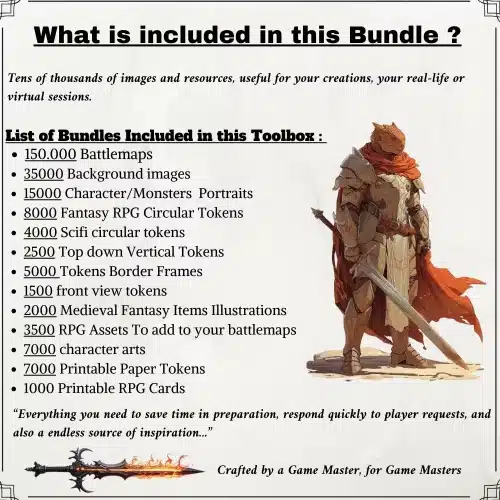
🎲 Get the Ultimate Toolbox Now
Instant Download • Lifetime Access
5. Pacing, turn management and spotlight techniques
Managing pacing and turn order is crucial for maintaining engagement in remote DnD sessions. Utilizing timers and scripts can help limit monologues and ensure everyone has a chance to participate. I often recommend rotating the spotlight among players, announcing turns clearly, and using a Timer Bot to keep track of time limits for each player’s turn. This prevents any one player from dominating the conversation and keeps the game moving.
To implement effective pacing, establish a sample in-session checklist for yourself. This could include reminders for how long each player should take during their turn (e.g., 90 seconds for combat and 2-3 minutes for roleplay), as well as cues for when to transition between players. Having a clear structure helps players know what to expect and encourages them to stay engaged.
5.1 Rotating the spotlight: procedures for equal playtime
Rotating the spotlight among players is essential for ensuring everyone feels included and engaged. You can use a round-robin system, where each player gets a turn in order, or implement timed spotlights, announcing when it’s a player’s turn and using a Timer Bot to keep track. This approach fosters a sense of fairness and encourages players to participate actively.
Consider adding democratic interruptions, where players can pass their spotlight once per session if they feel they need a break. You can also implement “spotlight tokens” that players can use to manage their turns more effectively. For example, if a player has a spotlight token, they can announce, “I’m passing my spotlight to Player C for this round.” This method helps players feel empowered to manage their engagement.
5.2 Short procedures to regain momentum after downtime
Sometimes, players may become distracted during remote DnD sessions, leading to a loss of momentum. To regain focus, implement a quick restart sequence. Start by recapping the previous events in one sentence, then place an immediate choice before the players, such as, “Will you investigate the noise coming from the shadows or continue on your path?” Finally, set a 60-second timer for them to respond. This approach encourages quick decision-making and re-engages players without dragging out the process.
You can also introduce default actions for players who don’t respond in time. For instance, if a player is unresponsive, you might say, “An NPC steps forward to handle this minor action while you think.” This tactic maintains the flow of the game while giving players the space they need to re-engage.
6. Player-driven content and micro-interactions
Encouraging player-generated content and micro-interactions can significantly boost engagement in your remote DnD sessions. Allowing players to create quick flash scenes can deepen their investment in the game. To implement this, provide a simple 3–4 step procedure: first, prompt the player to create a scene; second, give them 90-120 seconds for roleplay; third, allow for a single roll if needed; and finally, present immediate mechanical consequences for their actions. This approach keeps the game dynamic and gives players a sense of ownership over the story.
One effective way to facilitate player-driven content is by creating a shared folder for props, handouts, and one-page NPC prompts. This can include editable documents where players can contribute their own ideas for NPCs, quests, or world-building elements. For example, a player might create a one-page NPC prompt that includes the character’s name, motive, and two potential hooks for interactions. This not only saves you preparation time but also enriches the game world.
6.1 Quick player-generated flash scenes (3–4 steps)
Creating quick player-generated flash scenes can add depth to your campaign while keeping players engaged. Here’s a simple 3–4 step procedure to implement these scenes: 1. Prompt the player with a scenario tied to their character’s backstory or current events. 2. Give them 90-120 seconds for roleplay, allowing them to explore their character’s thoughts or feelings. 3. Allow for a single roll if necessary to determine outcomes. 4. Present immediate mechanical consequences based on the scene’s resolution.
For example, if a player’s character has a troubled past with a rival, you might prompt, “What happens when you encounter your rival in town?” The player can then roleplay their reaction, and you can determine the outcome based on their actions.
6.2 Props, handouts and one-page NPC prompts
Using props, handouts, and one-page NPC prompts can accelerate roleplay and enhance clarity in your remote DnD sessions. You can create a one-page NPC prompt template that includes key elements: the NPC’s name, motive, secret, one voice note line for tone, and two hooks for player interaction. This structure allows for quick references during gameplay and keeps the narrative flowing smoothly.
When distributing these prompts, consider sharing them in your VTT or via Discord, ensuring that players can access them easily. Additionally, providing both text and audio versions of key NPCs can improve engagement, especially for players who may struggle with reading or visual cues. For example, you might record a 10-20 second audio snippet of a key NPC’s voice to set the tone for their interactions.
7. Mini-games, side activities and downtime hooks
Introducing mini-games and side activities can revive attention and keep players invested during remote DnD sessions. These quick activities can serve as a fun break from the main storyline and help re-engage players who may have drifted. For instance, you could implement a fast mini-game like a quick auction, where players roleplay bidding for a unique item, or a scene scramble, where players write one-line actions that you stitch together into a coherent scene. Each of these can be played in 5 to 10 minutes and provide a refreshing change of pace.
Additionally, incorporating social-focused side activities can deepen player interactions and foster camaraderie. For example, you might introduce a tavern betting game, where players can wager on the outcome of a friendly contest between NPCs. This not only encourages roleplay but also allows players to engage with the world in a lighthearted way.
7.1 Fast mini-games to re-engage in 5–10 minutes
Implementing fast mini-games is a fantastic way to re-engage players during remote DnD sessions. Here are three concrete mini-games you can use, each designed to fit into a 5 to 10-minute window:
- Quick Auction: Players roleplay bidding for a unique item. Set a starting price, and each player can raise their bid or drop out. The winner gets the item, and you can provide a small mechanical reward for the winning bid.
- Scene Scramble: Each player writes a one-line action related to the current scene. You, as the GM, stitch these lines together into a coherent narrative, creating a collaborative story that can lead to unexpected outcomes.
- 3-Move Duel: A rock-paper-scissors style challenge where players can declare their actions and apply stat modifiers. Each player has three moves to outsmart their opponent, with the winner gaining a small reward, like inspiration or a minor item.
Tip: Ensure that each mini-game is easy to understand and quick to implement, so players can jump in without lengthy explanations.
7.2 Social-focused side activities (roleplay prompts)
Social prompts can encourage character interaction and deepen engagement during your remote DnD sessions. Consider preparing a bank of 12 two-line roleplay prompts organized by tone—funny, dramatic, mysterious—that players can draw from during quieter moments. For example, a prompt could be, “You overhear two NPCs in the tavern arguing about the best way to slay a dragon. What do you do?”
Pairing these prompts with mechanical stakes can further encourage participation. For instance, if players engage in a rumor-sharing prompt, you might reward them with information that could benefit their quest. This not only incentivizes interaction but also helps players feel more connected to the world you’ve created.
8. Accessibility, inclusion and safety tools
Incorporating accessibility and safety tools into your remote DnD sessions is essential for creating an inclusive environment. Start by introducing safety tools like the X-card or lines and veils during your session zero. These guidelines help players communicate their comfort levels and ensure that sensitive topics are handled respectfully. For example, players can use a simple color code to signal discomfort—green for “all good,” yellow for “slow down,” and red for “stop.”
Additionally, make sure you enable captions and provide high-contrast assets for players with visual impairments. Offering transcripts of your sessions can also help ensure that everyone has access to the same information. During gameplay, consider using chat reactions or private DMs to check in with players who may need extra support.
8.1 Using safety tools remotely (X-card, lines & veils)
To effectively implement safety tools like the X-card and lines and veils in your remote DnD sessions, start by introducing these concepts during your session zero. Provide clear instructions on how players can signal their discomfort, using simple commands or emojis in the chat. For example, you might say, “If something makes you uncomfortable, just type ‘X’ in the chat, and we’ll pause to address it.”
When a player signals using these tools, pause the game and offer options for moving forward—whether that’s skipping a scene, reframing it, or stopping altogether. After the session, consider conducting private check-ins with players who used safety tools to ensure they felt supported and heard. This approach fosters a safe and respectful gaming environment.
8.2 Accessibility adjustments for audio/visual players
To ensure your remote DnD sessions are accessible for all players, implement specific adjustments for those who may have audio or visual impairments. Start by providing text chat alternatives for important announcements and high-contrast maps to assist visually impaired players. Additionally, consider including alt-text descriptions for images and audio transcripts for key dialogue or events.
During your session zero, gather information about players’ accessibility needs and preferences. This can include preferences for font sizes, color palettes for colorblindness, and audio normalization techniques. By proactively addressing these needs, you create a more inclusive environment that allows all players to engage fully in the game.
9. Technical contingency plans and common fixes
Having a solid technical contingency plan is vital for keeping your remote DnD sessions on track. Start by testing all tools and connections at least 24 hours before the session. Ensure that all players have a backup plan in place, such as a voice-only fallback using a secondary device or using physical dice via webcam if the VTT fails. For example, you might say, “If we lose connection, we’ll switch to voice-only until we can get back online.”
If a player drops out during the session, follow a four-step backup plan: first, confirm their connection status; second, assign temporary NPC control to another player; third, continue with a theater-of-the-mind approach to keep the narrative flowing; and finally, recap and catch up with the missing player later. This way, you can maintain momentum even when technical issues arise.
9.1 4-step backup plan when a player drops
When a player drops during a remote session, it’s important to have a clear backup plan to minimize disruption. Follow these four steps:
- Confirm the player’s connection status—check if they can reconnect or if they need assistance.
- Assign NPC control to another player, allowing them to keep the game moving while the other player is away.
- Shift to a theater-of-the-mind approach, where you narrate the scene without relying on visual aids.
- Recap the key choices and events for the returning player, ensuring they can jump back into the action seamlessly.
By having this structured approach, you can help maintain the flow of the game and keep all players engaged.
9.2 Low-tech alternatives that keep momentum
Sometimes, technology can fail, and having low-tech alternatives ready can keep your remote DnD sessions running smoothly. Consider using theater-of-the-mind techniques, where you narrate the story without relying on visual aids. Encourage players to use physical dice on camera for rolling, or share printed maps and notes via email or messaging platforms.
Additionally, create a “low-tech kit” checklist for players to keep on hand. This could include a webcam-capable phone, printed encounter notes, and a shared Google Sheet link for tracking character stats. By having these resources available, you can pivot quickly if technical issues arise.
10. Preparing content that scales for remote play
Preparing content that scales for remote play is essential to keep your sessions engaging and manageable. Start by creating reusable encounter templates that outline the objective, minions, win conditions, and estimated time for each encounter. This will save you time in preparation and ensure that you can adapt encounters to fit your players’ pacing.
Additionally, maintain an organized asset library that categorizes tokens, maps, and sounds for quick access during gameplay. Implement a naming convention that allows you to easily search for assets when needed. For example, you might use prefixes like “map_forest_01” or “token_orc_archer” to keep everything organized. This strategic preparation will help you adapt easily to player actions and keep sessions flowing smoothly.
10.1 Reusable encounter templates and quick-edit maps
Creating reusable encounter templates can significantly reduce your prep time and ensure balanced gameplay. Use a simple five-field encounter template that includes: Name, Objective, Map Size, Key Mechanics, and Estimated Time. This structure allows you to quickly adapt encounters for different sessions while maintaining a clear focus on what players need to achieve.
For quick-edit maps, consider using tools that allow you to toggle layers, swap token sets, and pre-position lighting. This way, you can modify maps in under 10 minutes to suit the needs of the session. For example, if players decide to explore a new area, you can quickly adjust the map to reflect their choices without extensive downtime.
| Name | Objective | Map Size | Key Mechanics | Estimated Time |
|---|---|---|---|---|
| Goblin Ambush | Survive the attack | Medium | Stealth, Combat | 30 minutes |
10.2 Assets library strategy (tokens, art, sound) and naming
Establishing a well-organized assets library is crucial for quick retrieval during your remote DnD sessions. Create a folder structure that categorizes your assets into tokens, maps, sound files, and art, making it easy to locate what you need. Implement a naming convention that includes relevant metadata, such as theme, size, and usage (combat or exploration). This helps streamline your workflow and keeps you focused on storytelling rather than searching for assets.
For example, you might use prefixes like “token_elf_archer” or “map_dungeon_entrance” to categorize your files. Regularly back up your library and consider version control for major edits to ensure that you can easily revert to previous versions if needed. This organization will save time and enhance your overall session preparation.
11. Automation and macros: practical examples
Incorporating automation and macros into your remote DnD sessions can help streamline gameplay and reduce administrative burdens. For example, setting up macros for initiative tracking and token effects can keep combat moving quickly. Utilize features like the Token Action HUD and Roll20 API to create automated sequences that trigger based on in-game events. This allows you to focus on storytelling rather than managing mechanics.
To implement these tools, consider creating two concise macro examples: one for automated initiative tracking and another for toggling token status effects. For instance, your initiative macro might follow these steps: create a roll → send it to the tracker → announce the order → play a cue for the next turn. This structure helps maintain a smooth flow of gameplay.
11.1 Macro: automated initiative and turn reminders (3–5 steps)
Creating an automated initiative macro can significantly enhance the flow of your remote DnD sessions. Follow these steps to set it up:
- Create a roll command for initiative (e.g., /roll 1d20 + [character modifier]).
- Send the result to the initiative tracker.
- Announce the order of turns to the players.
- Play a music cue to signify the start of combat.
- Set a turn timer for each player’s turn.
By having this macro in place, you can keep combat organized and ensure players remain engaged throughout.
11.2 Macro: token status toggles and ambient sound triggers
Setting up macros for token status toggles and ambient sound triggers can create a more immersive experience for your players. Follow these steps to implement these features:
- Bind a sound file to a specific token event (e.g., entering a new area).
- Test the sound to ensure it plays correctly.
- Assign the sound trigger to the token so it activates automatically.
- Document how the sound will be used during gameplay for reference.
For example, you might set a sound cue for when players enter a dark forest, triggering an eerie ambiance. This can heighten the tension and enhance the overall atmosphere of your session.
12. Measuring engagement and iterating after sessions
Measuring player engagement and iterating on your sessions is vital for improving the overall experience. One effective method is to use short post-session surveys that consist of three questions, such as: What should we keep doing? What should we stop doing? What should we try next time? You can also ask players to rate their engagement on a scale of 1-10 for various aspects of the session, such as pacing, story, and character interactions.

After collecting this feedback, analyze the results to spot trends and areas for improvement. For example, if multiple players indicate that combat feels too slow, you can adjust your pacing strategies for the next session. Regularly following up with players one-on-one can also provide qualitative insights into their experiences and feelings about the game.
12.1 Simple post-game metrics and 3-question survey
To effectively measure engagement after each session, consider using a three-question survey that helps you capture players’ thoughts. The questions could include:
- What should we keep doing?
- What should we stop doing?
- What is one thing we should try next time?
Additionally, you can ask players to rate their engagement on a scale of 1-10 for various aspects of the session, such as pacing, plot development, and character moments. This quantitative data can help you identify patterns and areas for improvement.
12.2 Using feedback to refine the next session
Once you gather feedback from your players, it’s essential to create a feedback-to-prep pipeline that allows you to implement changes effectively. Start by collecting feedback, then prioritize it based on frequency and impact. Create a plan to implement small changes for the next session, and communicate back to your players what adjustments you made based on their feedback. This not only shows that you value their input but also builds trust within the group.
For example, if multiple players mention that combat felt slow, you might decide to implement a new turn timer or streamline your initiative tracking. After making these changes, let your players know, “Based on your feedback, we’ll be using a new initiative macro to keep combat moving faster!”
13. Scripts, micro-scripts and lines that work in-session
Using scripts and micro-scripts can help maintain engagement and speed up transitions during your remote DnD sessions. Having a bank of example one-line scene hooks and transition lines categorized by use-case can provide you with quick references during gameplay. For example, you might prepare hooks for combat, intrigue, social interactions, and exploration.
When using micro-scripts, be mindful of tone and timing. Use them as brief cues to prompt players without interrupting their performances. For instance, you might say, “As you enter the dimly lit room, you hear a creaking sound behind you,” which sets the stage for the next action without feeling intrusive.
13.1 Example one-line scene hooks for immediate buy-in
One-line scene hooks can be an effective way to quickly engage players and draw them into the story. Here are some categorized examples you can use:
- Combat: “As you draw your weapons, the ground shakes beneath you, and a massive creature emerges from the shadows.”
- Intrigue: “A hooded figure slips you a note, whispering that your next target is closer than you think.”
- Social: “The tavern is abuzz with gossip about a mysterious stranger who has been seen lurking near the castle.”
- Exploration: “You stand at the edge of a vast chasm, your instincts telling you that something lies hidden below.”
Using these hooks can prompt immediate action and encourage players to respond quickly.
13.2 Transition lines to move scenes quickly (examples)
Transition lines can facilitate smooth shifts between scenes and help cap monologues. Here are a few examples you can use:
- “As you wrap up your conversation, a loud crash echoes from the next room, pulling your attention.”
- “With the sun setting behind the mountains, you realize it’s time to move on before night falls.”
- “Before you can answer, a guard approaches, demanding to know what you’re doing in this area.”
These concise lines help maintain the pace of the game and keep players engaged by guiding them seamlessly from one moment to the next.
14. Resources & complementary tools (with URLs and reasons)
Having the right resources and tools can greatly enhance your remote DnD sessions. Here are some recommended platforms and asset packs that can help streamline your gameplay:
- Roll20: A versatile VTT that supports a variety of RPG systems.
- Discord: An excellent platform for voice and video communication, ideal for remote sessions.
- Syrinscape: A sound design tool that allows you to create immersive audio experiences.
- Foundry: A highly customizable VTT that offers modular features for advanced users.
- Avrae: A Discord bot designed to streamline D&D gameplay by managing rolls and commands.
Additionally, I recommend checking out these high-ROI Etsy assets that can speed up your preparation:
- Game Master Toolbox: A comprehensive collection of assets for various scenarios.
- 3000 Fantasy Village and Town Maps: Quick access to diverse town layouts.
- 6500 Token Borders: Stylish frames for indicating token statuses.
- 200000 Battlemaps: A vast library of battlemaps for various encounters.
- Procreate Fantasy Map-Making Brush Kit: Essential tools for creating custom maps.
Fox’s take
In summary, keeping players engaged during remote DnD sessions requires a mix of structured planning, effective tools, and a keen understanding of your players’ needs. By implementing the strategies we’ve discussed, from setting clear session agendas to utilizing engaging VTT tools and sound design, you’ll create a more immersive experience for everyone involved. Remember to gather feedback after each session and be willing to adapt your approach. With these steps, you can foster a dynamic and enjoyable gaming environment that keeps your players coming back for more adventures!
FAQ
How do I re-engage a player who multitasks during a remote session?
Use their character’s name to draw them back, ask questions, or incorporate mini-games.
What are the best VTT features to invest time in for engagement?
Dynamic lighting, token animations, and macros for automated actions enhance player focus.
How can I run a remote session if someone has poor internet or audio?
Use voice-only channels, encourage physical dice, and have NPC control as a backup.
What short rituals help create focus before and during a session?
Check microphones, recap the last session, and conduct a quick mood check for engagement.
How do I measure whether players are more engaged after changes?
Use post-session surveys to gather ratings and feedback on pacing and involvement.
Continue reading
- How to find players for your Virtual tabletop RPG sessions
Find players for virtual tabletop RPG sessions with actionable guidance and effective recruitment tactics. - How to Save Time When Organizing DnD Sessions: Practical Systems, Tools & Templates
Save time organizing DnD sessions with proven workflows, templates, tools and ready-made maps you can adapt fast.