
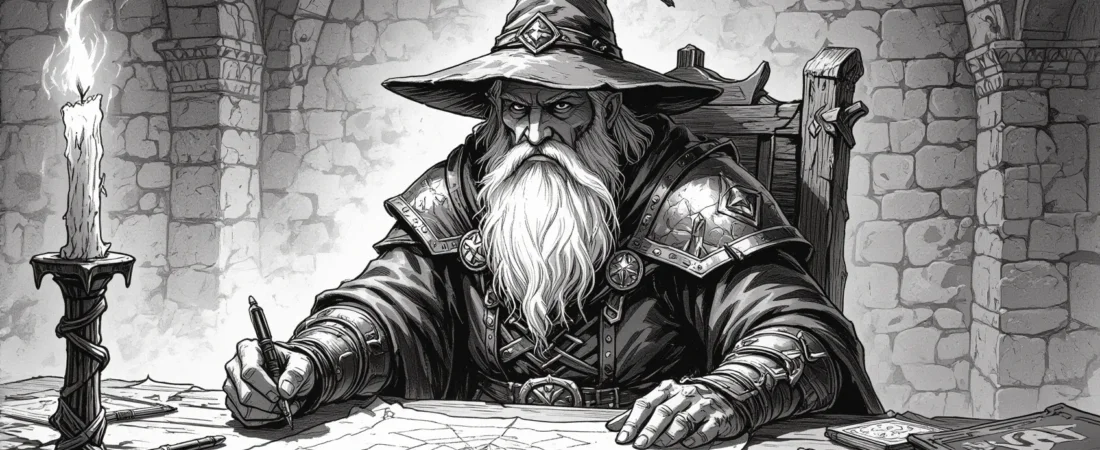
Session zero is a crucial aspect of any RPG campaign, serving as the foundation for player expectations and safety norms. This article will guide you through the essential elements of running a memorable session zero, from preparation to execution.
By the end of this guide, you will have the tools and templates needed to create an engaging and inclusive environment for your players, ensuring everyone is on the same page before the adventure begins.
What you’ll learn in this article
- 🎲1Understand the importance of a session zero in aligning player expectations and goals.
- ✅2Discover how to create a session zero agenda and choose the right templates for your group.
- 🔎3Learn practical steps for pre-session prep, including gathering player expectations.
- 🧙4♂️ Explore timeboxed agendas for both 90-minute and 45-minute session zeros.
- 🎉5Find out how to effectively run a virtual session zero using tools like Roll20 and Foundry.
- 📜6Access ready-to-use templates for player expectations, consent forms, and campaign covenants.
- 📅7Get tips on managing in-person sessions, including materials and seating arrangements.
- 🔄8Learn how to measure the success of your session zero and follow up with players.
- 🎲9VTT-specific notes and platform toolkits
- 🎲11Management: record-keeping, version control, and mid-campaign updates
- 🎲12Measuring success and 3-step follow-up process
- 🎲13Sample scripts and copy-paste blocks
1. Why a session zero matters
Setting expectations and aligning goals
A session zero is crucial for defining the campaign’s tone, frequency, and player goals. When you gather your players, it’s essential to outline what everyone is hoping to achieve. For example, if one player is looking for a lighthearted adventure while another desires a grimdark experience, this mismatch can lead to frustration. By using a player expectation sheet, you can collect information on each participant’s preferred play style and availability before the session, ensuring everyone’s on the same page.
To make this process smoother, clearly communicate the campaign’s scope in your invitation. You might say something like, “We’ll be playing a heroic fantasy campaign focused on teamwork and exploration, with sessions every other Friday for about three hours.” Document this in a shared agreement that everyone can see. This way, you not only set expectations but also create a reference point that helps prevent dropouts and reduces in-session friction.
Reducing conflict and setting safety norms
Conflict can arise during gameplay if players are not aware of each other’s boundaries or if safety norms are not established. Introducing tools like the X-Card (a simple method for players to signal discomfort) and Lines and Veils (which outline content that is off-limits or can be faded out) can create a more supportive environment. It’s vital to make these tools accessible and part of your regular gameplay routine.
For instance, you might introduce the X-Card by saying, “If something in the game makes you uncomfortable, simply tap the card, and we’ll move on without questions.” This non-judgmental approach encourages players to express their comfort levels openly. Additionally, incorporate regular check-ins during the session—like a thumbs-up/thumbs-down system—to gauge everyone’s comfort and engagement. Remember, the goal is to foster an atmosphere where players feel safe to explore the story without fear of crossing personal boundaries.
Outcomes you should aim for (agreement list)
At the end of your session zero, you should aim for a clear set of outcomes that everyone agrees upon. Key items could include a signed covenant outlining the campaign tone, house rules, character ties, and a confirmed schedule for your first session. This agreement serves as a foundation for your campaign and ensures all players are committed to the same vision.
To facilitate this, create a checklist of deliverables to finalize by the end of session zero. For example, ensure that you have a document that includes the campaign covenant, character pitches, and a calendar invite for the first session. You might even set a target for a sign-off rate—say, at least 80% of players expressing excitement for the campaign. If there’s any disagreement, have a contingency plan in place, such as a follow-up discussion to address concerns.
2. Pre-session prep: what the GM should do first
Determining campaign scope and tone

Before you invite players, it’s essential to decide on the high-level pitch of your campaign. This includes determining the scale (like whether it’s a one-shot or a long-term campaign), the tone (grimdark, heroic, lighthearted), and how often you plan to meet. For example, if you choose a lighthearted tone but your players are interested in a dark narrative, you may face conflicts down the line.
To help with this, consider creating a one-paragraph pitch that encapsulates your vision. You might say, “This campaign will be a heroic fantasy adventure where players work together to overcome challenges and save the realm from a looming darkness, with sessions lasting about three hours every other week.” Make sure to write this down and share it with your players to gather feedback and finalize the campaign’s direction.
Choosing which templates to use
Selecting the right templates for your session zero can streamline the process and ensure you cover all necessary aspects. Consider using a combination of agenda templates, a player expectation sheet, and a consent and safety form. It’s best to limit yourself to 2-3 key tools to avoid overwhelming players with paperwork.
For example, you might choose a 90-minute agenda template that includes time blocks for introductions, safety discussions, and character ties. Additionally, a player expectation sheet can help you gather important information about each player’s preferences and availability. Make sure to share these templates with your players ahead of time, so they know what to expect and can prepare accordingly.
Preparing digital vs printable files
Once you’ve chosen your templates, it’s time to prepare your materials for the session. If you’re running a virtual table, create Google Docs or Notion pages to share the agenda and safety forms. For in-person sessions, print physical handouts and X-Cards (physical cards used to indicate discomfort) for easy access during play.
When preparing these materials, consider accessibility options, such as using large fonts or color-blind friendly designs. Additionally, establish a file naming convention to keep everything organized. For instance, you might name files like “SessionZero_Agenda_YourCampaignName” for easy retrieval later.
3. Before session zero — 4-step procedure
Practical steps to run as a GM before inviting players
Before sending out invites, you should follow a simple procedure to ensure everything is in order. Here’s a quick run-through of the steps you should take:
- Send a pre-screen Google Form one week prior to gather player expectations and availability.
- Review player responses to identify any mismatches in expectations or preferences.
- Customize your agenda based on the information collected, making sure to incorporate any necessary adjustments.
- Test your VTT setup to ensure everything runs smoothly on the day of your session.
By following these steps, you can reduce anxiety and ensure that your session zero runs smoothly. This preparation will also help you feel more confident as a GM, knowing that you’ve covered all essential areas.
Example email invitation script

Once you’ve prepared, it’s time to invite your players. Here’s a concise email script you can use to get the ball rolling:
Subject: Join Us for Our Upcoming Session Zero!
Hi Team,
I’m excited to invite you to our session zero for our upcoming campaign! We’ll be meeting on [Date] at [Time]. Please fill out this [link to Google Form] with your character ideas and preferences.
Looking forward to seeing everyone there!
Best,
[Your Name]
Feel free to adjust the tone based on your group’s culture. You might want to send a reminder email 48 hours before the session to ensure everyone is prepared. Including a calendar poll can also help finalize attendance and make scheduling easier.
4. Timeboxed agendas: 90-minute and 45-minute examples
Detailed 90-minute agenda (time blocks and goals)
Having a structured agenda is essential to make the most of your session zero. Here’s a detailed breakdown for a 90-minute agenda:
| Time | Activity | Goal |
|---|---|---|
| 0–10 mins | Welcome/Icebreaker | Create a friendly atmosphere |
| 10–25 mins | Pitch/Expectations | Align player goals and campaign tone |
| 25–40 mins | Safety Discussion | Introduce safety tools (X-Card, etc.) |
| 40–60 mins | Character Ties | Build player connections |
| 60–75 mins | Mini-Hook | Present a story hook to spark interest |
| 75–90 mins | Q&A/Covenant | Finalize agreements and answer questions |
This structure allows for a comprehensive discussion without overwhelming participants. Make sure to keep an eye on the clock and be ready to adapt if discussions run long. You can also prepare a fallback plan for activities that might need to be shortened or skipped if time is tight.
Condensed 45-minute agenda with priorities
If you’re short on time, a condensed 45-minute agenda can be just as effective. Here’s a simple breakdown:
| Time | Activity | Priority Level |
|---|---|---|
| 0–5 mins | Welcome | Must Do |
| 5–15 mins | Pitch | Must Do |
| 15–25 mins | Safety/Characters | If Time Do |
| 25–35 mins | Bonds & Hook | Must Do |
| 35–45 mins | Covenant/Schedule | Must Do |
In this shorter format, prioritize safety and clarity of the campaign pitch. Pre-submitting character information can save valuable time, allowing you to focus on building bonds and establishing the campaign covenant.
5. Core templates: printable and digital versions
Player expectation sheet (fields + sample answers)
A player expectation sheet is an essential tool for gathering information about your players. Here are some key fields you might include:
- Experience Level: (e.g., New, Intermediate, Veteran)
- Playstyle: (e.g., Roleplay-focused, Combat-focused, Balanced)
- Session Length/Frequency: (e.g., 2 hours, every other week)
- Tone Preference: (e.g., Serious, Lighthearted)
- Player Goals: (e.g., Story-driven, Character development)
- Signature/Date: (to confirm agreement)

You can offer this sheet in both printable formats and digital versions via Google Forms or Notion. Here’s a sample filled-out answer for a player:
- Experience Level: Intermediate
- Playstyle: Roleplay-focused
- Session Length/Frequency: 3 hours every week
- Tone Preference: Lighthearted
- Player Goals: Character development through humorous interactions
This sheet helps you synthesize player preferences and flag any conflicts before the game begins.
Consent & safety form (X-card, lines and veils)
Creating a consent and safety form is crucial for establishing boundaries in your game. This form should include:
- X-Card Procedure: Explain how to use the X-Card to indicate discomfort.
- Lines and Veils: Describe what content is off-limits (lines) and what can be included but should fade to black (veils).
- Gradual Consent: Encourage ongoing discussions about player comfort.
- Signature Area: For players to confirm understanding and agreement.
For example, you might state, “If you feel uncomfortable with any content, please tap the X-Card, and we will move on without questions.” Providing sample scenarios can also clarify how to invoke these tools effectively.
Character connections & spotlight preferences
Building character connections and establishing spotlight preferences can enhance player engagement. Consider including the following fields in your template:
- Character Connections: (e.g., How do your characters know each other?)
- Spotlight Preferences: (e.g., Do you prefer long scenes, short scenes, or shared spotlight time?)
- Equitable Play Mechanics: (e.g., Will you use a token system to allocate spotlight time?)
For instance, you might ask players to fill out connection prompts like, “What do your characters owe each other?” This not only enriches the narrative but also fosters collaboration.
6. Virtual vs in-person: logistical differences and tips
Tech checks and VTT prep
Running a session zero online introduces unique challenges, particularly with technology. To ensure everything runs smoothly, it’s essential to conduct a tech check at least 30 minutes before your session. Start by testing your video conferencing software (like Zoom or Discord) to ensure participants can hear and see each other clearly. Then, check your Virtual Tabletop (VTT) platform, such as Roll20 or Foundry. Make sure the appropriate handouts are uploaded, and test the audio/video settings.
Tip: Create a simple VTT setup checklist that includes verifying browser compatibility, module dependencies, and ensuring all necessary assets are preloaded. This will help you avoid last-minute scrambles during the session.
In-person materials and physical facilitation
For an in-person session zero, the tactile experience can greatly enhance player engagement. Prepare physical materials such as printed agendas, safety tools like X-Cards, and any other handouts. Additionally, consider having snacks and drinks available to create a welcoming atmosphere. Setting up the physical space is equally important; arrange seating in a circle to facilitate discussion and eye contact, which can help build camaraderie.
7. Facilitating sensitive topics and boundary-setting
Safety tools explained with examples
In any role-playing game, especially during a session zero, it’s crucial to establish safety tools to create a comfortable environment for all players. Tools like the X-Card allow players to indicate when they feel uncomfortable with a particular scene or topic. Lines and Veils help define what content is off-limits (lines) and what can be included but should fade to black (veils). It’s essential to explain these tools at the beginning of your session and provide examples of how to use them effectively.
Example: When introducing the X-Card, you might say, “If at any point you feel uncomfortable, just tap the X-Card, and we will pause the game to discuss what needs to change.”
Mediator techniques and de-escalation script
Conflict can occasionally arise during gameplay, even in the most well-intentioned groups. As a GM, it’s your responsibility to mediate these situations effectively. Start by acknowledging the feelings of all parties involved. Use a de-escalation script to guide the conversation, which can help keep discussions respectful and constructive. For example, you might say, “I understand that both of you have valid points. Let’s take a moment to discuss the pros and cons of each perspective.”
Salvaging a session zero that goes off-track
Sometimes, despite your best efforts, a session zero can veer off course. When this happens, it’s vital to have a plan to get things back on track. Start by pausing the session and resetting the agenda. Revisit the goals of the session and prioritize establishing a covenant. This may involve taking a vote on the issues at hand or allowing players to express any lingering concerns.
8. Automations & forms: using Google Forms, Notion, and scripts
Google Forms pre-screen setup — 5 steps
Using Google Forms can streamline your pre-session preparation by collecting player expectations and safety preferences. Start by creating a form that includes sections for player experience, preferred play style, and any lines or veils they wish to establish. By adding conditional logic, you can customize the questions based on previous answers, ensuring a relevant experience for each participant.
Notion template workflow for agreements and versioning — 4 steps
Notion can serve as a powerful tool for managing session zero agreements and tracking changes over time. Start by creating a series of pages for players, agreements, and updates, embedding templates for easy access. This allows you to keep everything organized and accessible, streamlining the process of tracking player expectations and evolving agreements.
Email automation and follow-up automation examples
Automating your email communications can keep players engaged and informed leading up to session zero. Use tools like Zapier to set up workflows that send reminder emails and follow-ups based on player responses. For example, you can automate a summary email to go out 24 hours after the session, including links to the covenant and next steps.
9. VTT-specific notes and platform toolkits
Roll20 and Foundry setup tips for session zero assets
When using a Virtual Tabletop like Roll20 or Foundry for your session zero, ensure that your assets are preloaded and organized. Upload your agenda as a handout, and utilize journals for safety forms. This preparation helps players access necessary documents easily, making the session flow smoothly.
Sharing compendiums, tokens, and map previews

Visual aids can significantly enhance player engagement during your session zero. Use map previews and token sets to provide a clearer picture of the campaign’s tone and setting. Ensure that you have a recommended folder structure for easy access, so players can find the materials they need without hassle.
Using chat macros for consent reminders
Using chat macros can help reinforce consent and safety reminders throughout your session zero. Set up timed reminders to check in with players about their comfort levels and to remind them of the safety tools in place. For example, you might create a macro that sends a message every 30 minutes reminding players to use the X-Card if needed.
11. Management: record-keeping, version control, and mid-campaign updates
Storing agreements securely (docs vs encrypted notes)
When it comes to storing your session zero agreements, security should be a top priority. You want to keep sensitive information, like safety norms and player preferences, secure while also ensuring that everyone can access necessary documents. A central hub, like Notion, can be handy for this. It allows you to create pages for different aspects of your campaign, including player agreements and safety protocols. You can store scans or screenshots of signed documents and archive older versions with date stamps for reference.
For added security, consider using encrypted notes (which protect your information through encryption algorithms) or password-protected PDFs. This is especially important for documents containing sensitive content, such as lines and veils. A storage decision matrix can help guide you on what to keep public, shared, or secure. For example, player expectations might be public, while specific safety concerns should be stored securely.
Updating covenants and re-consent process (3 steps)
As your campaign evolves, so too may the needs and preferences of your players. It’s crucial to revisit your campaign covenant periodically, especially if new players join or if there are significant changes in tone or content. A straightforward re-consent process can help maintain trust and transparency among your group.
Here’s a simple three-step process to update your covenant:
- Email Poll: Send out a poll to gauge if players feel comfortable with current agreements and if they’d like to suggest changes.
- 15-Minute Call: Host a brief call to discuss feedback and address any concerns. This can be a great opportunity for open dialogue.
- Re-sign Digitally: Once everyone is on the same page, send out the updated covenant for players to review and sign digitally. Archive the old version for your records.
Archive and retrieval best practices
Archiving your session zero agreements and any updates is essential for maintaining a clear history of your campaign’s development. When archiving, date-stamp older covenants and make them accessible for future reference. This can be incredibly useful if disputes arise or if you need to remind players of past agreements.
A suggested naming convention could be Covenant_v1_YYYYMMDD. This makes it easy to track changes over time. Additionally, consider creating a structured folder system that allows for easy retrieval. For example, you could have folders designated by session number or campaign phase. This way, you can quickly access any relevant documents when needed.
12. Measuring success and 3-step follow-up process
Metrics and qualitative feedback questions
To ensure that your session zero was effective, it’s important to measure its success through both quantitative and qualitative metrics. Quantitative metrics might include the covenant sign-off rate, excitement scores (on a scale of 1 to 10), and attendance commitment. These can give you a clear view of how engaged your players are.
On the qualitative side, consider asking open-ended questions to gather more nuanced feedback. For example, you could ask:
- “What excited you most about the campaign?”
- “Was there anything you felt uncomfortable sharing?”
- “What’s one change you’d like to see for the next session?”
Sending a session-zero summary to players (copy-ready)
Once your session zero is complete, sending a summary to players is a great way to reinforce what was discussed and agreed upon. Aim to send this summary within 24 hours of the meeting. It should include the covenant link, next steps, and a schedule for upcoming sessions.
Here’s a copy-ready template you can use for your summary:
Subject: Session Zero Summary
Hi Team,
Thank you for a fantastic session zero! Here are the key takeaways:
– Covenant Link: [Insert Link]
– Next Steps: [Detail any action items]
– Upcoming Schedule: [List dates/times for future sessions]
Feel free to reach out if you have any questions or concerns!
Best, [Your Name]
13. Sample scripts and copy-paste blocks
Invite script for players (email/DM)
When inviting players to your session zero, clarity and warmth in your communication can set a positive tone. Here’s a simple invite script you can use:
Subject: Join Us for Session Zero!
Hi Team,
I’d like to invite you to our session zero on [date/time]. We’ll discuss campaign expectations, character ideas, and safety tools to ensure everyone has a great time. Please fill out this form before we meet: [Insert Link]. Looking forward to seeing you all!
Best, [Your Name]
GM opening script for session zero (short)
Starting your session zero with a clear and inviting script can help set the right atmosphere. Here’s a concise opener:
“Welcome, everyone! I’m excited to kick off our campaign together. Today, we’ll cover our expectations, introduce safety tools, and get started on building our characters. Let’s make sure everyone feels comfortable and heard throughout this process.”
Post-session summary template
After your session zero, it’s crucial to follow up with a summary that reinforces what was discussed. Here’s a template you can use:
Subject: Session Zero Wrap-Up
Hi Team,
Thank you for a productive session zero! Here’s a quick recap:
– Covenant Link: [Insert Link]
– Action Items: [List any tasks assigned]
– Feedback Link: [Insert Link for feedback]
Let’s keep the momentum going! Looking forward to our next session on [date].
Best, [Your Name]
Fox’s take
In summary, running a successful session zero is all about preparation and communication. By setting clear expectations, utilizing safety tools, and creating engaging templates, you can foster a collaborative and enjoyable environment for your players. Don’t forget to follow up with a recap after the session to keep everyone on the same page! Now it’s time to gather your materials, invite your players, and embark on this exciting journey together. Happy gaming!

FAQ
How long should a session zero be and what should it cover?
A session zero typically lasts 45 to 90 minutes, covering campaign expectations, player goals, and safety tools.
What safety tools should I include and how do they work?
Include the X-Card for signaling discomfort and Lines and Veils for defining content boundaries.
Can I run a session zero entirely online, and what extra prep is needed?
Yes, use platforms like Roll20; ensure all materials are uploaded and conduct a tech check.
What do I do if a player disagrees with the campaign covenant?
Address concerns openly, encourage discussion, and schedule follow-ups to ensure comfort.
How do I convert session zero agreements into in-play mechanics or consequences?
Document key points and use them as references during gameplay to guide decisions.
Continue reading
- How to Find a DnD Group Online: Platforms, Templates & Scheduling Tips
Find a DnD group online fast: platforms, tips, and safety steps. - The Art of the ‘Mid-Boss’: Creating Memorable DnD Mini-Villains
DnD mid-boss design: actionable steps, stat-block examples, map patterns and VTT tips to craft memorable mini-villain encounters.