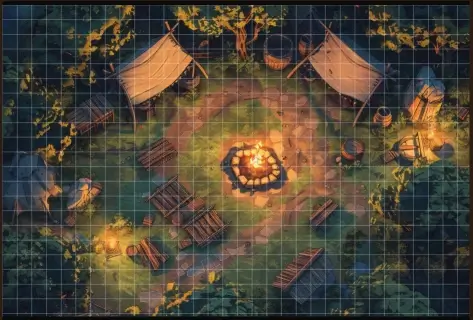
Online Animated Map Grid Maker
The easiest way to add a square or hex grid to your animated battlemaps.
100% client-side: upload your video, align your grid, and export a VTT-ready file with sound instantly.
Forge Your Animated Map
How to Add a Grid to Animated Battlemaps?
Standard static map tools don’t work for video. This Animated Map Grid Maker was built specifically for VTT users. Whether you have a 4K waterfall or a lightweight WebM forest, you can now overlay a precise grid without expensive software.
1. Import your Video
Drag and drop your MP4 or WebM file. The tool handles the resolution automatically while keeping the frame rate smooth.
2. Adjust & Eraser
Choose between Square or Hex. Use the Eraser Tool to hide the grid over high walls or trees for a depth effect.
3. Silent Export
The tool captures your original audio silently and merges it into the final WebM file. Perfect for ambient sounds.
VTT & TV Compatibility
This tool exports in WebM format, the gold standard for modern RPGs:
- Foundry VTT & Roll20: Supports loops and transparency natively.
- TV Tables (In-Person): Use a short loop (20-30s) in VLC Media Player with the “Loop” button activated to save hardware memory.
FAQ
Will I lose the sound of my map?
No! Our tool captures the original audio track and merges it into the final gridded file.
Can I record a 1-hour video?
We advise against it. Browsers cannot handle recording long videos in memory. Use a short seamless loop instead.